See It In Action
Your entire operation. One screen.
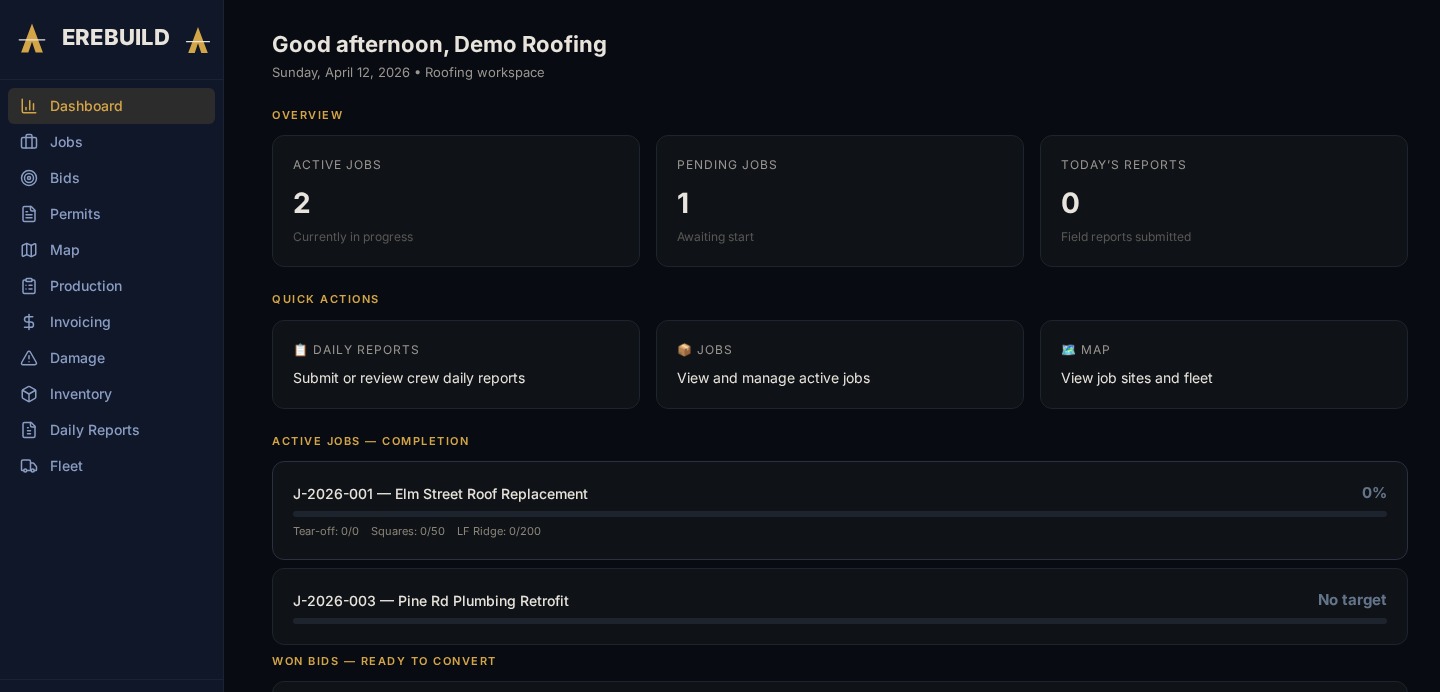
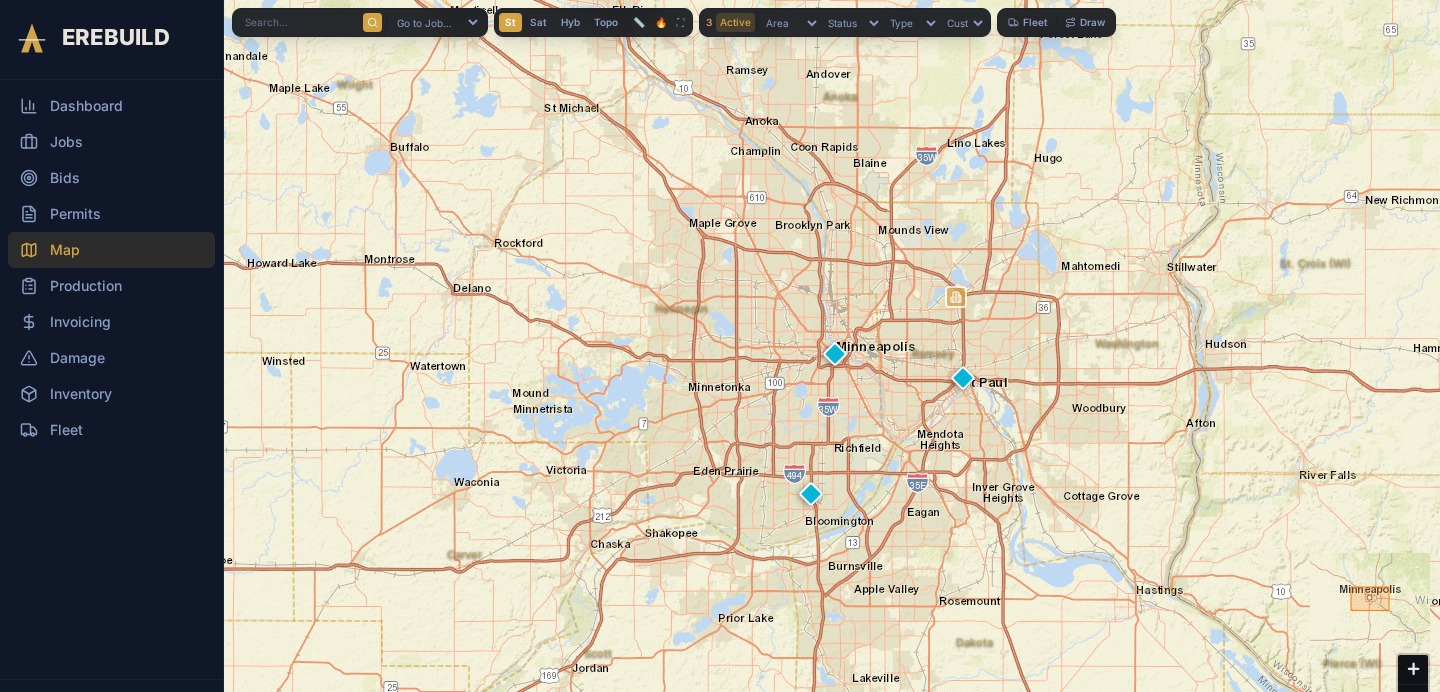
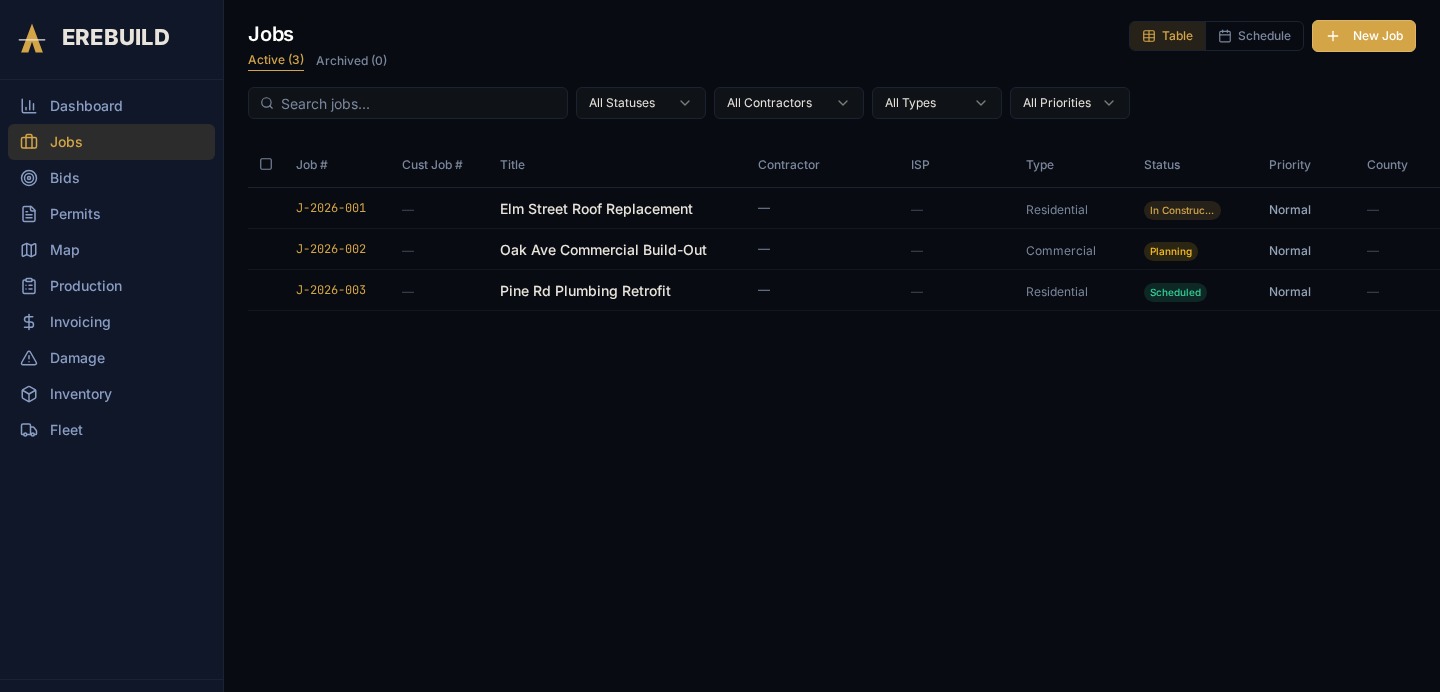
Create a job in 60 seconds. Report from the field in 30. The map, the customer update, and the invoice write themselves — all tied to one job number.
30-day free trial · Cancel anytime · Up and running in under 10 minutes
Or create a free account to explore the platform first · Log in
See It In Action
How It Works
Every piece of your operation — maps, permits, field reports, as-builts, customer updates, invoices — all connected to one job number.
Phone call, email, or bid — create a new job in 60 seconds with all the details you need.
Attach permits and dig tickets with expiry alerts so nothing slips through the cracks.
Assign a foreman, drag-and-drop onto the crew board, and get everyone scheduled.
30-second mobile production reports from the field. No app download required.
Watch build completion appear on the live map, span-by-span, as crews report progress.
One-click professional weekly updates auto-generated from production data.
Mark up the PDF as-built, auto-populate the invoice, sync straight to QuickBooks.
Live Job Map
Features
Pick the modules that match your trade.
Full lifecycle from bid to closeout. One job number ties everything together.
Visual weekly crew board. Drag-and-drop assignments with conflict detection.
Mobile-first, 30-second reports. No app download — works in any browser.
Draw routes, track progress span-by-span, capture as-builts automatically.
Map-linked permits with expiry alerts. Never let a permit lapse again.
Auto-generated professional weekly updates from production data. One click to send.
Track reels, conduit, and hardware by job. Know what's on every truck.
Samsara integration. DOT compliance, vehicle assignments, and maintenance alerts.
Approved reports auto-populate invoices. Sync straight to QuickBooks Online.
USDA SSURGO soil data, geology overlays, frost line depth, excavation risk ratings, and depth cross-sections — all from one pin drop.
Drop a pin, draw a route, or outline an area. Deep Delve cross-references multiple federal and geologic datasets to give you a plain-English advisory before you mobilize equipment.
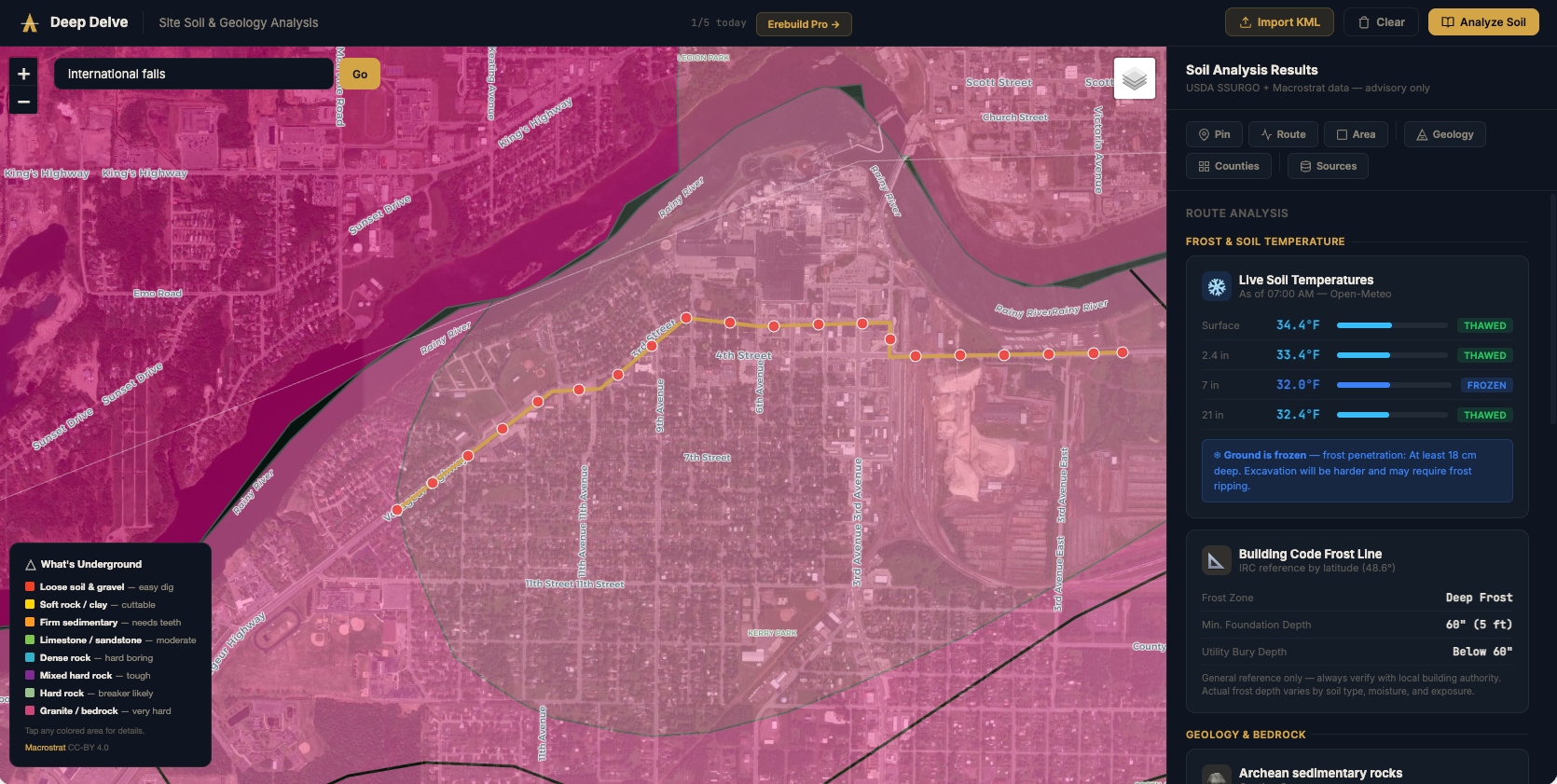
SSURGO survey data at any coordinate — drainage class, soil type, and hydrologic classification in one click.
Toggle geology layers to see subsurface bedrock formations and lithology data before you plan a bore or trench.
Plain-English advisory rating — tells your crew what to expect and flags hazards before equipment rolls out.
Live frost depth averages in inches — so you know your minimum trenching depth at any time of year.
Visual layer diagram showing soil horizons in inches — sand, clay, loam, and bedrock at the selected point.
Analyze pins, routes, or areas — then transfer soil notes directly to won jobs inside your ERP.
Compare
| Feature | Erebuild | Jobber | Buildertrend | Procore |
|---|---|---|---|---|
| Price | From $299/mo | $69/seat/mo | $199+/mo | Custom ($$$$) |
| Free trial | 30 days | 14 days | No | No |
| Built for field contractors | ✓ | Home services | Home builders | Large GC |
| Live job map | ✓ | ✗ | ✗ | ✗ |
| Custom map identifiers | ✓ | ✗ | ✗ | ✗ |
| Field production reports | ✓ | ✗ | Partial | ✓ |
| Permits on map | ✓ | ✗ | ✗ | Partial |
| White-label branding | ✓ | ✗ | ✗ | ✗ |
| Setup time | < 10 minutes | 1-2 days | 1-2 weeks | 4-8 weeks |
Pricing
Professional
$299/mo
Up to 10 team members
30-day free trial. Cancel anytime.
Business
$599/mo
Up to 30 team members
30-day free trial. Cancel anytime.
Enterprise
Custom
Unlimited team members
Custom pricing for large operations.
Early Access
We're onboarding our first contractors now. Early access customers get locked-in pricing and a direct line to the product team.
FAQ